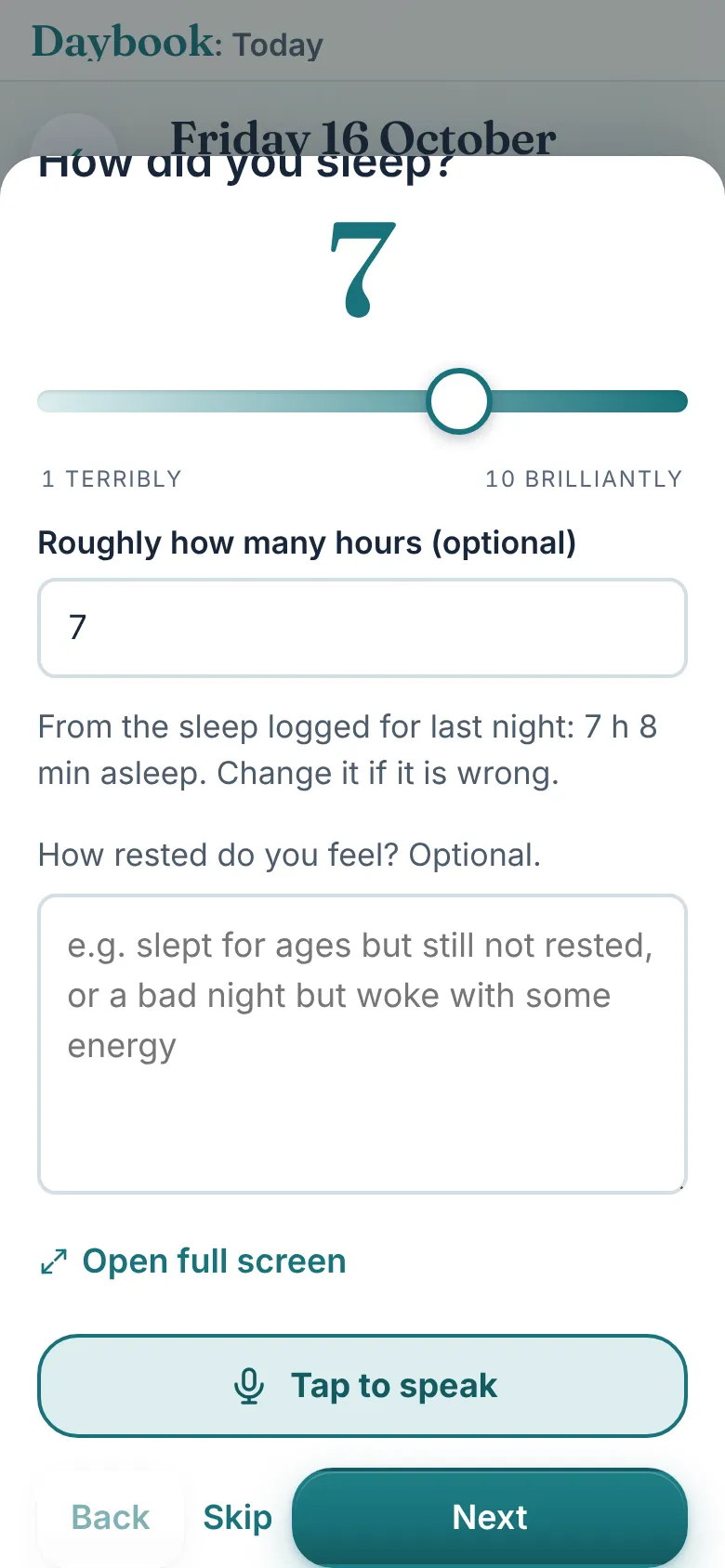
Two check-ins a day
A minute each, morning and evening: sleep, symptoms, pain and mood, one question a screen. Say it instead of typing it with Tap to speak.

Your companion between appointments.


Why Daybook exists
In August 2026 I was told I had stage 4 pancreatic cancer, already in my liver and my spine. I was 44. I was given 6 to 12 months, depending on how I responded to treatment.
After that, everything became a blur. News like that takes your memory with it.
Then came the everyday part. Tablets at different times. Temperatures. Side effects. What I'd managed to eat. And the questions, which arrived whenever they liked: in the car, over dinner, lying awake.
Some went on scraps of paper. Most went nowhere. I'd forget to tell Shelley, my wife and best friend, what I wanted to ask. By the time I sat down in front of the oncologist, I had very little to say and no idea where to start.
So I built Daybook, to catch them as they come.
Mark Brown, creator of Daybook

How it started
Daybook wasn't planned. It grew one problem at a time.
It started as a way to track my tablets. I still forgot them, so I added Shelley. Her phone gets my reminders too, so she can tell me to take them, or fetch them for me.
Then new pains started. I wanted to ask the nurses and doctors what was causing them, but I'd forget, so I logged them as they happened.
Then we realised Shelley could add her own questions, the ones that came out of our conversations. I've always been dreadful at admin. Shelley has always been the best administrator I know; even our friends ask her to sort theirs. That's when I could see the beginning of Daybook.
I had to put on weight before treatment, and Shelley kept asking what I'd eaten. A food diary made it easy to answer.
As treatment went on, I met new people, like the pain consultant. Morning and evening check-ins gave us a proper way to talk about my pain.
I started therapy, so I began tracking my mood and wellbeing. I'm good at telling myself I'm fine when I'm not, so Shelley can score how she thinks I am too.
With all of that in one place, it made sense to summarise it. Before each appointment I send it to my nurses and doctors, or print it and take it in: my readings, my week and, most importantly, every question we'd collected.
Then friends with Crohn's asked for it, and it grew again.
Daybook doesn't give medical advice, and never will. It's a personal medical journal: what happened, in our own words, kept for the people who need to see it.

Shelley
I have the ideas. Shelley is my sounding board, and the dedicated grown-up who gets me thinking.
We've been married 22 years. This news hit her as hard as it hit me. We were supposed to grow old together.
Daybook is the good thing we made out of the worst news, and we made it together.
Then Helen asked
I was round Mark's when he showed me the Daybook he'd created to help him keep track of his cancer. I was blown away. I have Crohn's disease, and straight away I asked whether it could work for that too.
Before Daybook, I'd get myself in a right old pickle trying to remember everything, then come home from an appointment and think, "Oh, I should have asked that."
Now I can log how I've slept, what I've had to drink, even a mild headache, and start joining the dots. On the days I meditate, go to the gym or use the hot and cold tub, my symptoms often seem less troublesome, and I've got the record to show my team. My questions are there in front of me too.
For me, having everything in one space is a game changer.
Helen, living with Crohn's disease


Start your own
Your Daybook, a tap away.
Set it up in a few minutes. Invite the people who help when you are ready.
Between appointments
A minute in the morning, a minute at night, a few taps through the day. By the next appointment, the whole story is there.
A minute each, morning and evening: sleep, symptoms, pain and mood, one question a screen. Say it instead of typing it with Tap to speak.
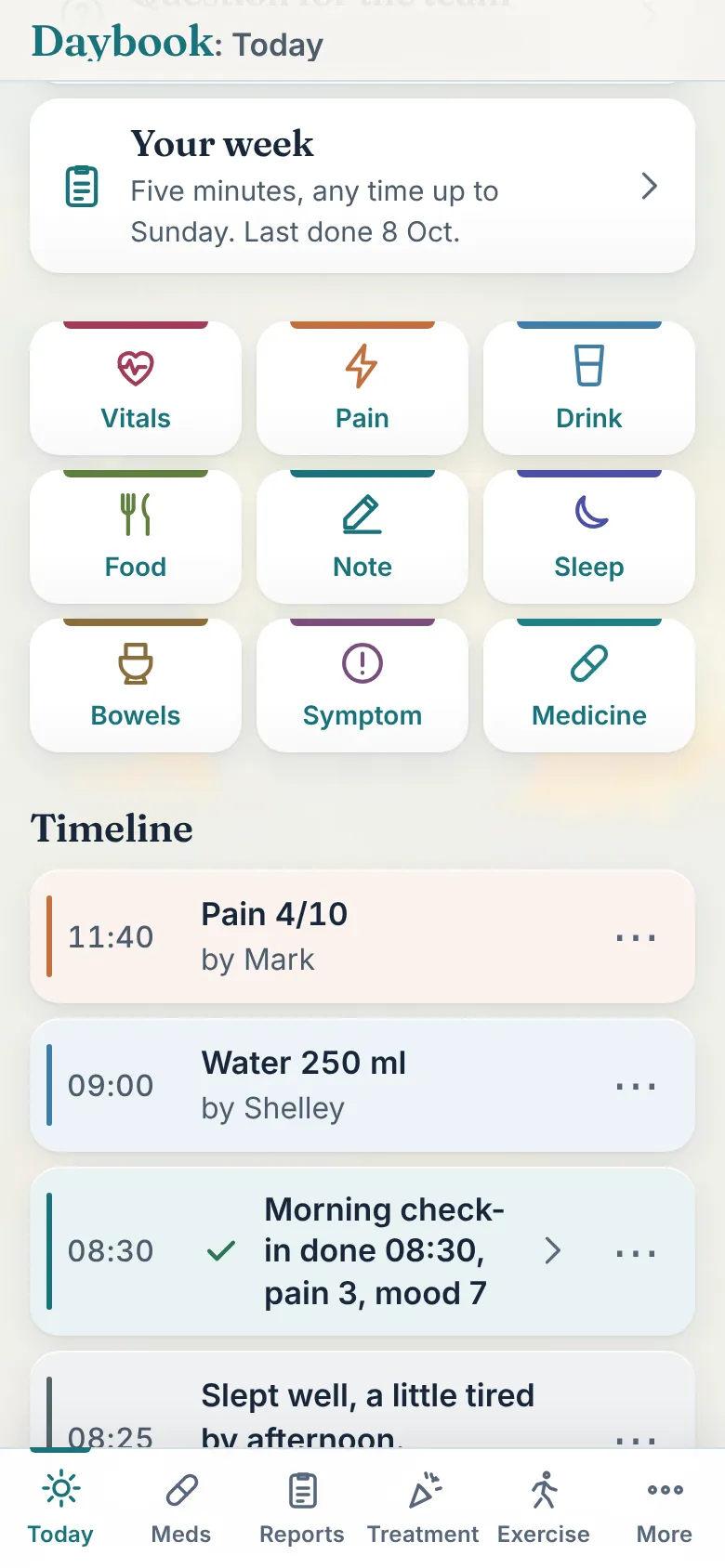
Vitals, pain, a drink, a meal, a note, sleep, bowels, a symptom, a dose: nine tiles on Today, each a few taps, with the time filled in for you.
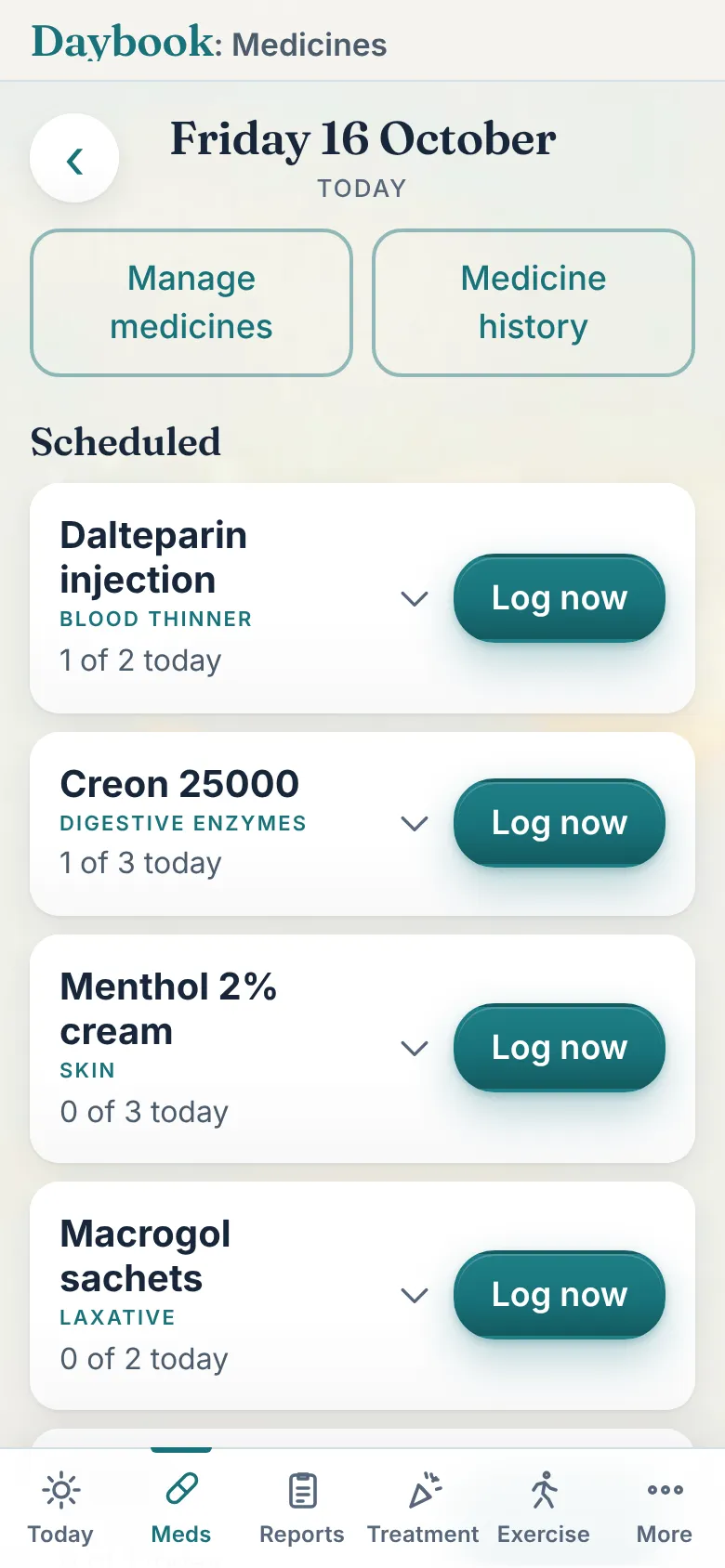
Every medicine with its dose and how many are done today. Log now is one tap. Reminders arrive as notifications at the times you set, with the names kept off the lock screen if you like.
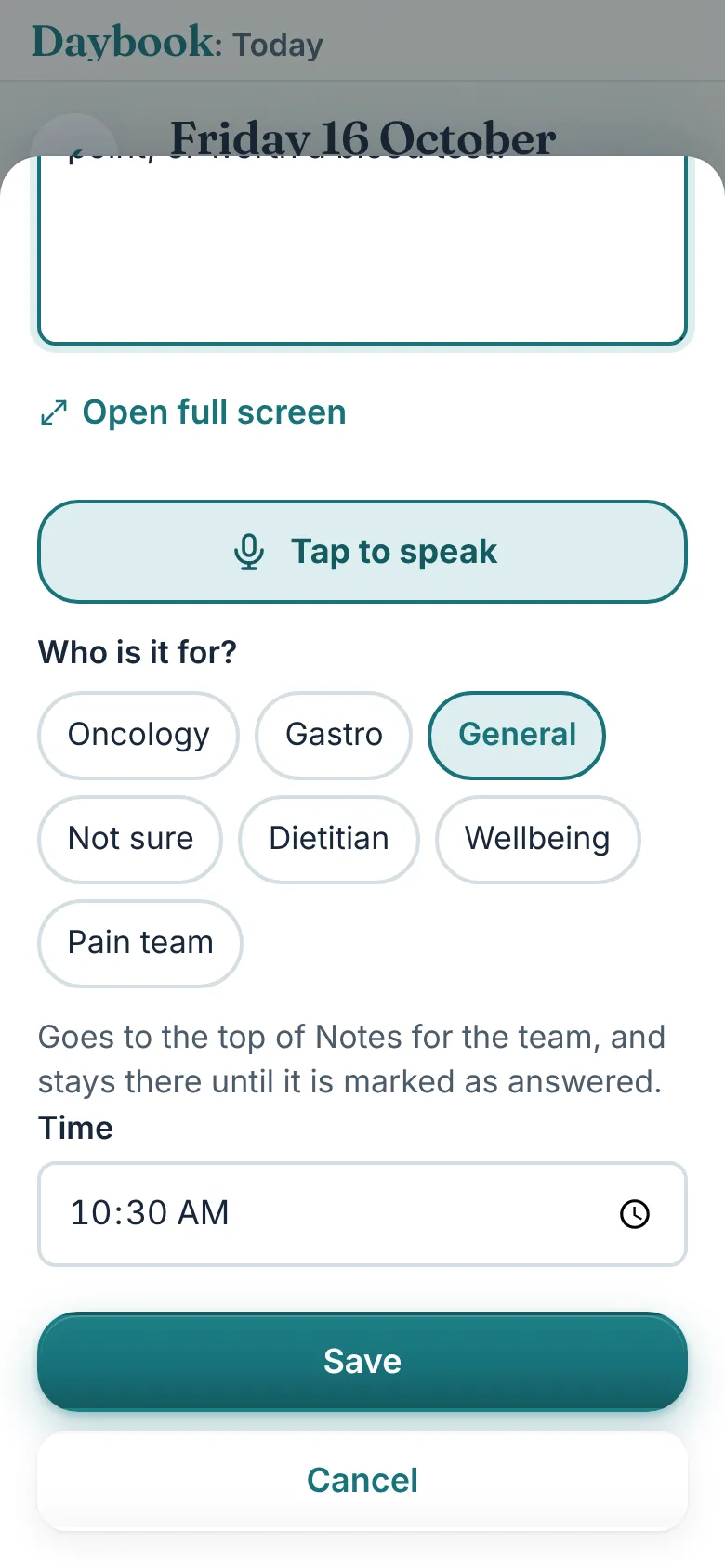
Write it when it comes to you, say who it is for, and it heads that team's report with room under it for the answer. Record the answer in clinic so nobody has to take notes.
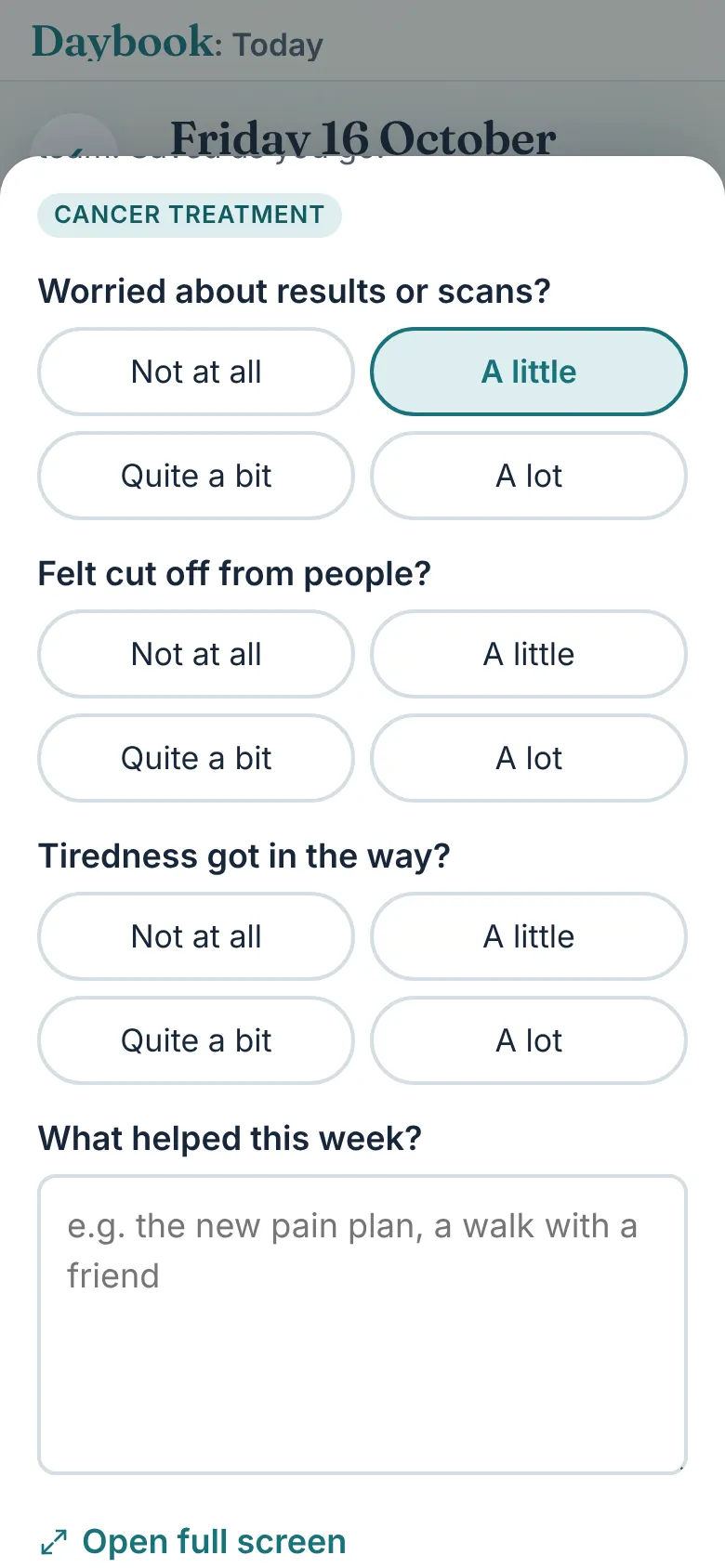
Five minutes once a week, ending on the day you choose, your treatment day if you like: what helped, what was hardest, the week in a sentence. The mood and wellbeing report is built from it.
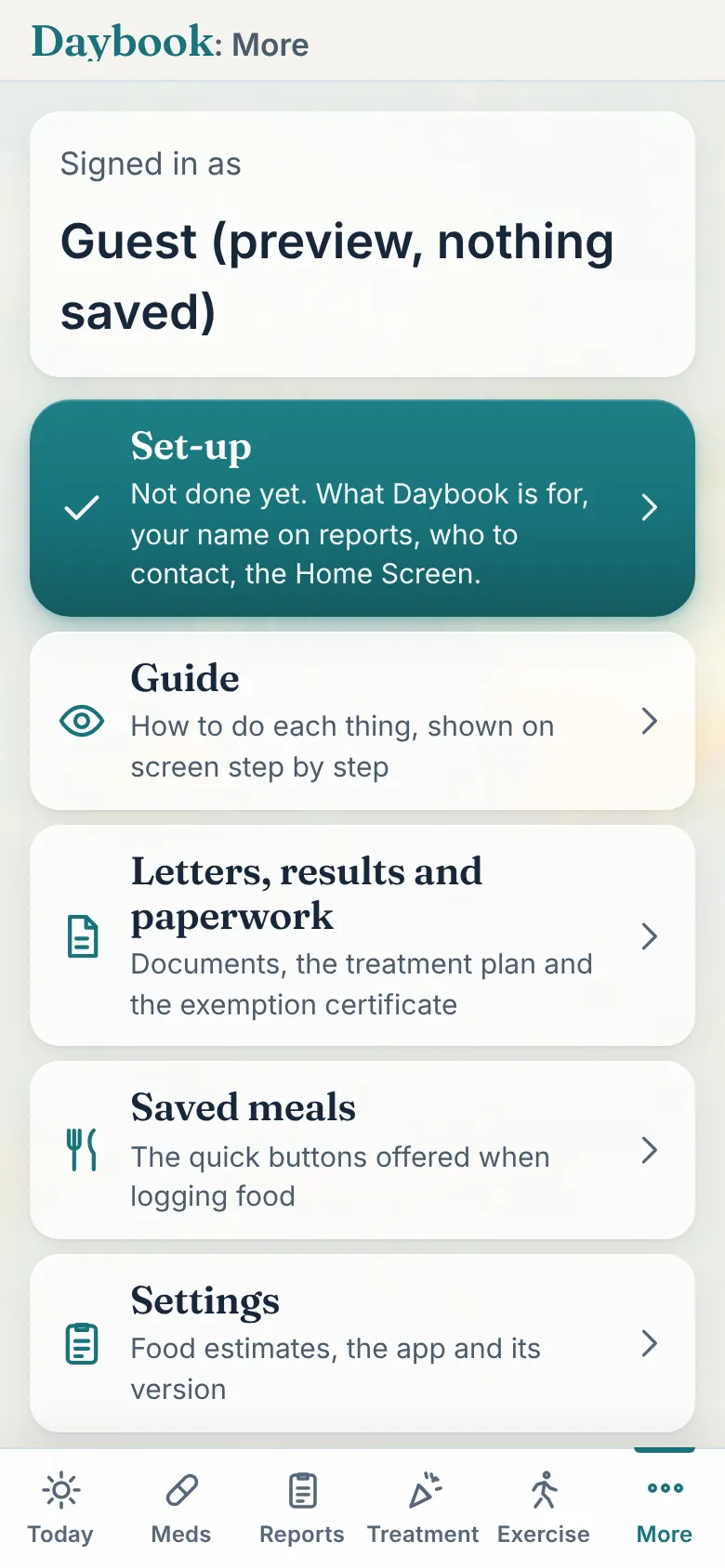
The ward, the nurse, the GP, the advice line: a name, a number, an email. Call or email in one tap, and send any report to any of them from the app.
Every box has a Tap to speak button under it. Tap, say it, tap again. The words appear and can be changed like typed text. Keyboards are hard on a bad day.
Photograph a clinic letter, a label or a plan and Daybook Assistant explains it in plain English, only when you ask, with the questions worth taking back to the team.
Steps, sleep, workouts, weight and your food app's totals can arrive by themselves. Everything can be typed in instead, so Daybook works in full without it.
Bowels with blood and urgency, a flare plan in the team's own words, "I think I'm flaring" with a 7-day summary to read out, results as the lab gave them, injections and steroid courses on the calendar.
Cycles as the team counts them, sessions marked done, side effects asked in the check-ins for three days after each one, and the alert card's limits on every temperature.
Any long-term condition: your own symptoms on the Symptom tile, your own things to track, peak flow, appointments on the calendar, and reports for your GP or any team you see.
Invite the people who help. They see what you see, from their own phone. A carer adds their own view of the day and the week, kept apart from yours, never mixed in.
See it work
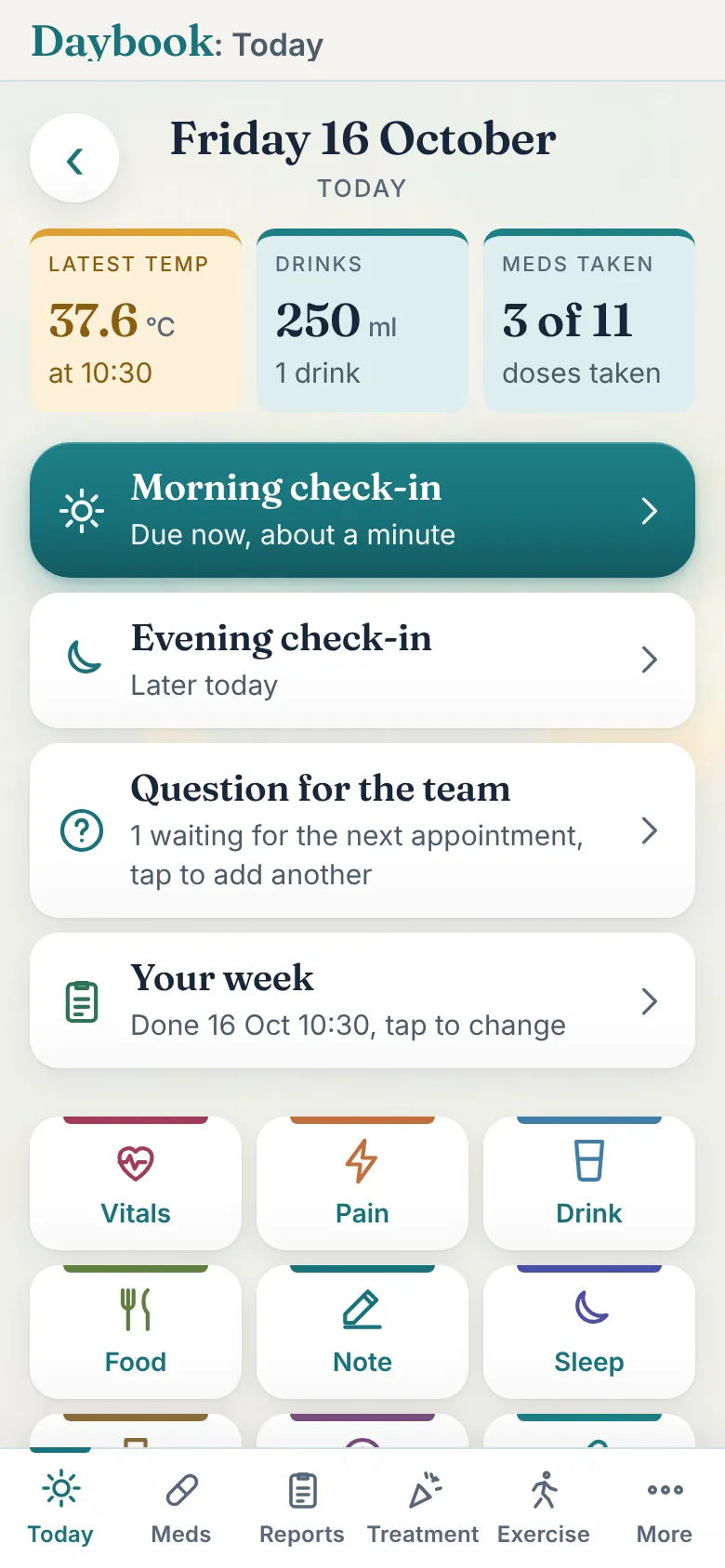
These are the app's own screens, with made-up data, played as they happen. Start with the whole story: a day's logging, a question, then the report made and sent.
Step 1
Loading the walk-through.
The reports
Before an appointment, Daybook gathers everything since the last one into a few pages the team can read in a minute, with room for them to write. Print them, or send them to the nurse, the dietitian or the consultant from the app.


"Working as a psychotherapist and asking my clients to recall what has happened over the last two weeks is hard at the best of times, and harder still when they are overwhelmed or distressed. With Daybook important things are written down on the day, so nothing gets lost and the bad days aren't smoothed over by the time I meet with the client.
This means I am able to read their experiences and challenges before our next session so I am able to best support them. Daybook is a great resource and I am excited to see how it is used and developed as an amazing tool for patients."
Carmen Kane, Therapist/Trainer
Before your next appointment
Take your first report with you.
Log the days in between, then print it or send it to your team from the app.

The people around you
Invite the people who help: a partner, a daughter, a friend who drives you to chemo. They see the same record and the same report, from their own phone. The ones who want to know can keep up without you having to repeat it, and the ones you'd rather talk to about anything else can.
The circle is yours. Only you, or whoever set it up for you, can invite or remove anyone, and nobody outside it, Mark included, ever looks.
"I can keep track of what's happening with Mark without us having the same cancer conversation every time, so when we're together we can talk about other things. But there's always enough in the app that I can see when they might need extra help, and I can just ask Shelley what I need to do."
Hayley, Mark and Shelley's friend
Try it
Each demo is a made-up person with a month of records. Tap around, log things, open the reports. When you leave, it is gone.
Sam, part way through chemo: the check-ins, the treatment calendar with its cycles, side effects after each session, the medicines, and Notes for the team.
Open the cancer demo DemoJo, through a flare: bowels with blood and urgency, the flare plan and the advice line, results as the lab gave them, injections on the calendar, and the Crohn's and colitis report.
Open the Crohn's demo DemoDaybook works for any long-term condition: your own symptoms, your own things to track, readings, appointments and reports for whoever you see. In this demo, Robin is living with back pain and sciatica.
Open the demo (chronic pain)The demos open the app itself in your browser. Tap Leave demo at the top to come back here.
Get Daybook
Daybook is in its Beta until it reaches the App Store and Google Play. Everyone is welcome, no code needed, and Mark reads every message himself.
The Beta promise. Daybook is free throughout the Beta, and Beta circles keep the full app free for a year after it reaches the App Store, with everything they have logged. Joining someone's circle? Ask them for an invite from the app.
Each circle's records are seen only by its own members, enforced by the database itself. Nobody else, and nothing sold to anyone.
Your records are stored in London, over a secure connection. Mark 1 Apps Ltd is registered with the ICO.
A report goes to the team only when you send it. The AI helper reads a letter only when you ask it to, and keeps nothing.
Daybook keeps the record and does the sums. Your team makes the decisions. In an emergency, call 999 or 111.
Read the privacy policy, written in plain English.
Set it up in a few minutes on an iPhone, iPad, Mac or Android phone, and invite your circle when you're ready.
Questions first? Email support@mymedicaldaybook.co.uk and Mark will answer himself.
